Initial scaffolding
In this first chapter, we are going to create the smallest useful JSKIT app, install its dependencies, run it locally, and read the scaffold it gives us. The default scaffold already includes shell-web, so the app starts with a real shell, placements, settings routes, and the app-level error host. The goal of this chapter is to explain how to get started with JSKIT and to understand what the generator produced, which files matter, and why the project already has concepts like surfaces, a local runtime package, and a server even before we add any real features.
Start in a working directory and run:
npx @jskit-ai/create-app exampleapp --tenancy-mode none
cd exampleapp
npm install
The first command creates a new folder called exampleapp and fills it with JSKIT's default shell-web app template. The exampleapp name is used in a few template replacements, such as the package name and the browser title. The --tenancy-mode none flag tells JSKIT to start with the smallest routing model. In this mode, the app is not workspace-aware (more of this later in the guide, when multihoming is introduced). That keeps the first scaffold easier to read because there is no workspace slug handling yet.
If you are working with an AI agent and want the agent to drive the initial JSKIT setup conversation, use the dedicated seed path:
npx @jskit-ai/create-app exampleapp --template ai-seed
cd exampleapp
That seed writes only AGENTS.md. It is not a runnable app yet. The agent should use that file to ask the Stage 1 platform questions first, make sure the chosen MySQL or Postgres database already exists or can be created with the developer's local admin access, and then promote the same directory into the real scaffold with:
npx @jskit-ai/create-app exampleapp --target . --force --tenancy-mode <mode>
npm install
After that promotion, the overwritten app AGENTS.md stays deliberately small. Use it with the distributed JSKIT agent docs when planning or implementing app changes. The durable app memory lives in .jskit/APP_BLUEPRINT.md and should describe product and architecture decisions, not become an implementation task list.
After creating the real app scaffolding (the default shell-web app, not the seed wrapper), you will need to run npm install to install dependencies.
If you deliberately need the older bare scaffold, use --minimal or --template minimal-shell. That is useful for descriptor tests or unusual package-development flows, but it is not the normal starting point for a JSKIT app:
npx @jskit-ai/create-app exampleapp --minimal --tenancy-mode noneMinimal apps can still install the standard shell later with npx jskit add package shell-web, as long as the starter files it claims have not been edited first.
If you already know you want a small non-workspace baseline right after the scaffold, this is the shortest reproducible path:
DB_HOST=127.0.0.1
DB_PORT=3306
DB_NAME=exampleapp
DB_USER=...
DB_PASSWORD=...

npx @jskit-ai/create-app exampleapp --tenancy-mode none
cd exampleapp
npm install

npx jskit add package auth-provider-local-core
npx jskit add package auth-web

npx jskit add package database-runtime-mysql \
  --db-host "$DB_HOST" \
  --db-port "$DB_PORT" \
  --db-name "$DB_NAME" \
  --db-user "$DB_USER" \
  --db-password "$DB_PASSWORD"

npx jskit add package users-web
npx jskit add package console-web

npm install
npm run db:migrate
The default auth install is intentionally local and simple. Do not start a new app by adding Supabase, OAuth, OTP, provider linking, or a users/profile projection unless that complexity is already part of the app you are building.
If you want the larger workspace-enabled stack with the first assistant already configured, use Quickstart instead.
To see the app in the browser with the starter health check working, run the frontend and backend in two terminals:
npm run devnpm run serverThen open http://localhost:5173/ in the browser. The starter screen is intentionally small. That is a good thing. It proves the shell is wired correctly before we start adding packages.
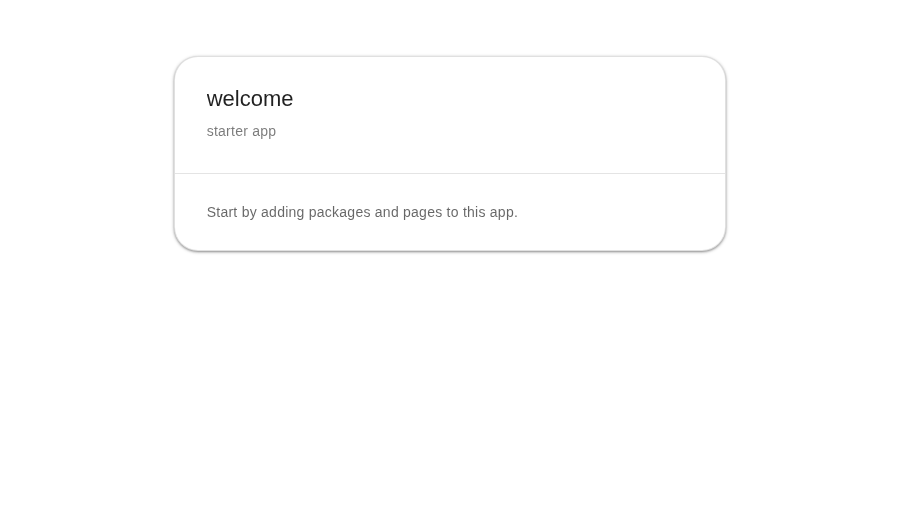
npm run server starts the Fastify server on port 3000. The default home page already uses the Vite proxy to request /api/health, so keep the backend running when you want the starter status to be fully green. A good habit is to treat npm run dev as the browser-facing process and npm run server as the app runtime behind it.
If you want a fast sanity check that the backend is alive, open http://localhost:3000/api/health or request it from the terminal:
curl http://localhost:3000/api/healthYou should get a small JSON response with ok: true.
Reading the scaffold
A fresh app has more structure than a plain Vue starter because JSKIT is preparing both a web shell and an application runtime from the beginning. The top-level layout looks roughly like this:
exampleapp/
  .jskit/
  config/
  packages/main/
  server/
  src/
  tests/
  package.json
  server.js
  vite.config.mjs
The first file most people should read is package.json. It is the command center for the app. It tells you how to run the frontend (npm run dev), the backend (npm run server), the test suite, and the build. It also shows the most important dependencies that make the starter shell work: Vue, Vite, Fastify, the JSKIT kernel, and the HTTP runtime.
The most important parts look like this:
{
  "engines": {
    "node": "26.x"
  },
  "scripts": {
    "server": "node ./bin/server.js",
    "server:all": "node ./bin/server.js",
    "server:home": "SERVER_SURFACE=home node ./bin/server.js",
    "dev": "vite",
    "dev:all": "vite",
    "dev:home": "VITE_SURFACE=home vite",
    "build": "vite build",
    "build:all": "vite build",
    "build:home": "VITE_SURFACE=home vite build",
    "preview": "vite preview",
    "lint": "eslint .",
    "test": "node --test",
    "test:client": "vitest run tests/client",
    "test:e2e": "playwright test tests/e2e",
    "verify": "jskit app verify && npm run --if-present verify:app",
    "release": "jskit app release",
    "jskit:update": "jskit app update-packages"
  },
  "dependencies": {
    "@local/main": "file:packages/main",
    "@fastify/static": "^9.1.3",
    "@jskit-ai/kernel": "0.x",
    "@tanstack/vue-query": "^5.101.0",
    "@jskit-ai/http-runtime": "0.x",
    "fastify": "^5.8.5",
    "json-rest-schema": "^1.0.16",
    "pinia": "^3.0.4",
    "vue": "^3.5.38",
    "vue-router": "^5.1.0",
    "vuetify": "^4.1.2"
  },
  "devDependencies": {
    "@jskit-ai/agent-docs": "0.x",
    "@jskit-ai/config-eslint": "0.x",
    "@jskit-ai/jskit-cli": "0.x",
    "@playwright/test": "1.61.1",
    "@vitejs/plugin-vue": "^6.0.7",
    "eslint": "^10.8.0",
    "vite": "^8.0.16",
    "vitest": "^4.1.9"
  }
}
Published JSKIT libraries and tooling support Node.js 22 from 22.13.0 onward, Node.js 24, and Node.js 26. Newly generated applications deliberately require Node 26: their app-level engines contract, .nvmrc, and JSKIT-managed verification workflow all name that runtime. The app-level contract is the runtime boundary for the app and its installed JSKIT runtime packages, while independently consumed JSKIT CLI and tooling packages retain the wider supported range. The dependency on @local/main points at file:packages/main, which means your app already contains its own local JSKIT package. The maintenance scripts are also useful to notice early, because they show an important ownership boundary in JSKIT.
verify, jskit:update, and release are intentionally thin wrappers. They stay in package.json because they are convenient app-local shortcuts, but the real implementation lives in jskit app ..., not in copied scaffold scripts.
That matters because JSKIT maintenance policy changes over time. If the scaffold copied a large shell script into every app, existing apps would freeze the old behavior forever. By delegating to jskit app verify, jskit app update-packages, and jskit app release, the app keeps the nice npm run shortcuts while the maintained behavior stays in the installed CLI package.
The Playwright scaffold follows the same rule. playwright.config.mjs delegates to @jskit-ai/jskit-cli/test/playwright, and the starter browser specs delegate their shared responsive checks to published JSKIT helpers. The generated files stay small while later JSKIT package updates can change local server startup, managed PLAYWRIGHT_BASE_URL handling, and VIBE64_PLAYWRIGHT_STORAGE_STATE support without copying that logic into each new app.
jskit app verify is worth noticing specifically. Linting, tests, and builds check your source code and runtime behavior. The JSKIT part of that flow runs doctor, which checks JSKIT-managed app state: installed package visibility, lock-file-backed managed files, and other JSKIT-specific health rules. It is there because a JSKIT app is not only code. It is also a descriptor-driven managed project.
The starter scaffold also writes .github/workflows/jskit-verify.yml. JSKIT generates and owns that workflow as a projection of installed package ci contracts. The baseline runs checkout, Node 26 setup, npm ci, and npm run verify. Packages can add job environment values, service containers, and explicit before-verify steps without taking ownership of the whole YAML file. For example, the database runtime adds migrations before verification. Its MySQL driver adds a MariaDB service with synthetic CI-only credentials and DB_CLIENT=mysql2; its Postgres driver adds the equivalent Postgres service and DB_CLIENT=pg.
The workflow content hash is recorded in .jskit/lock.json. Package lifecycle commands refresh it when installed requirements change and refuse to overwrite a workflow that differs from its recorded version. Application-specific CI belongs in another workflow. Use npx jskit app sync-ci to refresh an unmodified managed file, or npx jskit app sync-ci --force when you explicitly intend to replace an edited file that is already recorded as JSKIT-owned. The --against <base-ref> review mode still exists for local pre-merge checks and advanced CI pipelines, but the starter workflow does not assume it.
The surface-specific script names are also worth noticing early, even in this tiny app. dev:home, server:home, and build:home are the first concrete places where surface selection shows up in the scaffold. They work by setting VITE_SURFACE=home on the client side and SERVER_SURFACE=home on the server side. In this first chapter, where home is the only surface, those variants behave almost the same as the default commands. Later, once more surfaces exist, those scripts become the simplest way to run or build just one surface at a time.
App surfaces in JSKIT
A surface is JSKIT's name for a named slice of the application. They are a very important concept in JSKIT, since a surface can be built -- and deployed -- separately from each other. This is useful if for example you want the end-user interface not to contain any of the symbols/strings of the admin interface.
Surfaces are defined in a very important file in JSKIT: config/public.js. This is the app's shared public configuration, used both by client and server. It's called "public" because it will be read by the browser, and therefore it will be available to the world. It defines the current tenancy mode, the default surface, and the list of surface definitions. In this first scaffold there is only one surface, home, which is the starter surface
Even though we are using --tenancy-mode none, it will still be possible to add more surfaces. Every app starts with a single home surface, and later packages will expand that topology.
Here is the part of config/public.js that sets that up:
import { surfaceAccessPolicies } from "./surfaceAccessPolicies.js";

export const config = {};
config.tenancyMode = "none";

config.surfaceModeAll = "all";
config.surfaceDefaultId = "home";
config.webRootAllowed = "no";
config.surfaceAccessPolicies = surfaceAccessPolicies;
config.surfaceDefinitions = {};
config.surfaceDefinitions.home = {
  id: "home",
  label: "Home",
  pagesRoot: "home",
  enabled: true,
  requiresAuth: false,
  requiresWorkspace: false,
  accessPolicyId: "public",
  origin: ""
};
Right next to that file is config/surfaceAccessPolicies.js. This is where the access rules for surfaces live. In the initial shell, home uses the public policy. You do not need to change these policies now, but you do need to know where they come from, because later packages will extend them.
The starter policies are small enough to read in one glance:
export const surfaceAccessPolicies = {};

surfaceAccessPolicies.public = {};
That tells you one thing immediately: home is open. More specific policies only appear when later packages add them.
The client side
Client bootstrap
The src/ directory is the frontend application. src/main.js is the real boot file. It creates the Vue app, sets up the router, enables Vuetify, and builds a JSKIT surface runtime from config/public.js. That one file is worth reading carefully because it shows the main client-side contract of a JSKIT app: scaffold config is turned into a running client shell, with the surface runtime, router, installed client modules, and app boot all wired together.
The important part looks like this:
import { createApp } from "vue";
import { createPinia } from "pinia";
import { QueryClient, VueQueryPlugin } from "@tanstack/vue-query";
import { createRouter, createWebHistory } from "vue-router/auto";
import { routes } from "vue-router/auto-routes";
import "vuetify/styles";
import { createVuetify } from "vuetify";
import { aliases as mdiAliases, mdi } from "vuetify/iconsets/mdi-svg";
import { createSurfaceRuntime } from "@jskit-ai/kernel/shared/surface/runtime";
import {
  shouldRetryTransientQueryFailure,
  transientQueryRetryDelay
} from "@jskit-ai/kernel/shared/support";
import {
  bootstrapClientShellApp,
  createShellRouter
} from "@jskit-ai/kernel/client";
import { bootInstalledClientModules } from "virtual:jskit-client-bootstrap";
import App from "./App.vue";
import NotFoundView from "./views/NotFound.vue";
import { config } from "../config/public.js";

const surfaceRuntime = createSurfaceRuntime({
  allMode: config.surfaceModeAll,
  surfaces: config.surfaceDefinitions,
  defaultSurfaceId: config.surfaceDefaultId
});

const surfaceMode = surfaceRuntime.normalizeSurfaceMode(import.meta.env.VITE_SURFACE);
const { router, fallbackRoute } = createShellRouter({
  createRouter,
  history: createWebHistory(),
  routes,
  surfaceRuntime,
  surfaceMode,
  notFoundComponent: NotFoundView,
  guard: {
    surfaceDefinitions: config.surfaceDefinitions,
    defaultSurfaceId: config.surfaceDefaultId,
    webRootAllowed: config.webRootAllowed
  }
});

const vuetify = createVuetify({
  theme: {
    defaultTheme: "light"
  },
  icons: {
    defaultSet: "mdi",
    aliases: mdiAliases,
    sets: { mdi }
  }
});
const pinia = createPinia();
const queryClient = new QueryClient({
  defaultOptions: {
    queries: {
      refetchOnWindowFocus: false,
      refetchOnReconnect: true,
      retry: shouldRetryTransientQueryFailure,
      retryDelay: transientQueryRetryDelay
    }
  }
});

void bootstrapClientShellApp({
  createApp,
  rootComponent: App,
  appConfig: config,
  appPlugins: [
    pinia,
    [VueQueryPlugin, { queryClient }],
    vuetify
  ],
  pinia,
  queryClient,
  router,
  bootClientModules: bootInstalledClientModules,
  surfaceRuntime,
  surfaceMode,
  env: import.meta.env,
  fallbackRoute
}).catch((error) => {
  console.error("Failed to bootstrap client app.", error);
});
The flow is simple once you read it in order: config in, runtime in memory, router built from that runtime, app-owned Vue plugins created once, app bootstrapped. Pinia, Vue Query, the router, and Vuetify are owned by the base app bootstrap so runtime packages share the same instances instead of carrying independent copies. Passing the same queryClient into bootstrapClientShellApp(...) also gives shell-web the QueryClient it observes for automatic request recovery when transport failures exhaust their normal retries.
The main package (client side)
One more client-side piece is worth seeing before looking at page files: the starter app already has its own client provider. The app-local package declares it in packages/main/package.descriptor.mjs like this:
client: {
  providers: [
    {
      entrypoint: "src/client/providers/MainClientProvider.js",
      export: "MainClientProvider"
    }
  ]
}
That declaration is one of the things bootClientModules(...) uses. On the client, the lifecycle is:
- collect the installed client modules
- resolve the provider classes they declare
- create the client runtime application container
- run each provider's
register()method - run each provider's
boot()method, if it has one
So yes: client providers use the same register()/boot() lifecycle pattern as server providers. In the scaffold, the app-local client provider starts like this:
const mainClientComponents = [];

function registerMainClientComponent(token, resolveComponent) {
  mainClientComponents.push({ token, resolveComponent });
}

class MainClientProvider {
  static id = "local.main.client";

  register(app) {
    for (const { token, resolveComponent } of mainClientComponents) {
      app.singleton(token, resolveComponent);
    }
  }
}

export {
  MainClientProvider,
  registerMainClientComponent
};
The important idea is that this provider is not rendering UI directly. It is registering token-addressable client components into the application container. In the default scaffold, the list starts with shell link components that the placement runtime can use for menus and tabs. Later package installs and generators can extend this file by adding imports and registerMainClientComponent(...) calls for more app-owned client components. In other words, this file is the app's local registration seam.
import MenuLinkItem from "/src/components/menus/MenuLinkItem.vue";

registerMainClientComponent("local.main.ui.menu-link-item", () => MenuLinkItem);
Then MainClientProvider.register(app) publishes those into the client container with app.singleton(...). Later packages and placement runtime code can ask for those components by token instead of importing app files directly.
This code is intentionally small. registerMainClientComponent(...) is a private app-local registration hook, not a public validation API, so the scaffold keeps it minimal and lets obvious mistakes fail honestly when the provider is used.
MainClientProvider does not define a boot() method yet, so the boot phase is effectively empty for this provider right now. But the lifecycle still supports it. If you later add boot(), JSKIT will run it after all client providers have finished register().
Inside src/pages/ you will find both route owners and actual page components. The easy file to notice is src/pages/home/index.vue, because that is the page with visible content. The easy file to miss is src/pages/home.vue. That wrapper file contains route metadata that attaches the page tree to a JSKIT surface. When you later add more pages, that surface information is one of the things JSKIT uses to decide where a page belongs.
The wrapper file is tiny, but it is doing an important job:
<route lang="json">
{
  "meta": {
    "jskit": {
      "surface": "home"
    }
  }
}
</route>

<template>
  <RouterView />
</template>
This is why src/pages/home/index.vue becomes part of the home surface instead of just being "some route".
src/App.vue is deliberately small. It is the outer Vuetify app shell, the top-level RouterView, and ShellErrorHost. That is another pattern you should get used to in JSKIT: the app root stays thin, and most behavior is pushed toward packages, page files, and runtime providers.
The server side
The backend entry point is server.js, with bin/server.js acting as the small executable wrapper used by the npm scripts. server.js starts Fastify, registers a built-in /api/health route, loads the provider runtime, and decides how to serve the frontend. In development, you normally visit the Vite dev server on port 5173. In a built app, this same server can also serve the compiled frontend.
The core of that startup path looks like this:
async function createServer() {
  const app = Fastify({ logger: true });

  app.get("/api/health", async () => {
    return {
      ok: true,
      app: "exampleapp"
    };
  });

  const runtimeEnv = resolveRuntimeEnv();
  const appRoot = path.resolve(process.cwd());
  const runtime = await tryCreateProviderRuntimeFromApp({
    appRoot,
    profile: resolveRuntimeProfileFromSurface({
      surfaceRuntime,
      serverSurface: runtimeEnv.SERVER_SURFACE
    }),
    env: runtimeEnv,
    logger: app.log,
    fastify: app
  });

  registerSurfaceRequestConstraint({
    fastify: app,
    surfaceRuntime,
    serverSurface: runtimeEnv.SERVER_SURFACE,
    globalUiPaths: resolveGlobalUiPaths(runtime?.globalUiPaths || [])
  });

  return app;
}
The health route is built in, but the more important idea is that the server is already prepared to validate HTTP input with Fastify's normal JSON Schema path, load the JSKIT provider runtime from the app itself, and constrain requests by surface.
You will also notice config/server.js. In the base app it is intentionally almost empty. It is there to reserve a clear place for server-side configuration as backend features are added, without pretending the starter app already has feature-specific server configuration.
The small server/lib/ directory exists to keep that server boot code tidy. runtimeEnv.js reads environment variables such as port and host. surfaceRuntime.js builds the same surface runtime that the client uses, so the server and browser agree on what surfaces exist. In the scaffold scripts, npm run server:home is simply setting SERVER_SURFACE=home, while npm run server and npm run server:all leave the server unrestricted.
The main package (server side)
The most unusual part of the scaffold, if you are new to JSKIT, is packages/main/. This is the app-local runtime package. It is not there by accident, and it is not just a convenience folder. JSKIT treats your app itself as a local package with a descriptor, client provider hooks, and server provider hooks. That is why the folder contains package.descriptor.mjs and a small src/ tree of its own.
You already saw the client-side provider in the client bootstrap path. The server side uses the same model: the descriptor tells JSKIT which provider class belongs to the local package, and the runtime calls register() and then boot().
The server part of that descriptor looks like this:
export default Object.freeze({
  packageVersion: 1,
  packageId: "@local/main",
  version: "0.1.0",
  kind: "runtime",
  runtime: {
    server: {
      providerEntrypoint: "src/server/MainServiceProvider.js",
      providers: [
        {
          entrypoint: "src/server/MainServiceProvider.js",
          export: "MainServiceProvider"
        }
      ]
    }
  },
  metadata: {
    server: {
      routes: []
    }
  }
});
This is the moment where the scaffold stops looking like "just a Vue app". The app is declaring itself as a runtime package that JSKIT can discover, load, and mutate safely.
For the server side, the main file to remember is packages/main/src/server/MainServiceProvider.js. It stays intentionally flat and small. That is the point: packages/main is the app-local composition package, not the default home for new backend feature trees.
The server-side provider starts like this:
import { loadAppConfig } from "./loadAppConfig.js";

class MainServiceProvider {
  static id = "local.main";

  async register(app) {
    const appConfig = await loadAppConfig({
      moduleUrl: import.meta.url
    });
    app.instance("appConfig", appConfig);
  }

  boot() {}
}

export { MainServiceProvider };
It is deliberately small because it is only for app-local glue: loading config, wiring tiny app-specific behavior, and bootstrapping shared runtime concerns. When a backend capability becomes substantial, do not grow packages/main into a mini service tree. Generate a dedicated package instead:
npx jskit generate feature-server-generator scaffold booking-engineThat keeps the ownership boundary clear: packages/main stays composition-only, while real server features get their own provider, service, and optional repository seams. The client side uses the same provider lifecycle; you already saw the matching pattern earlier in the client boot path.
The .jskit/lock.json file is also important. Treat it like JSKIT's own lock and state file. It records which runtime packages JSKIT believes are installed and which managed changes they introduced. When you use jskit add, jskit update, or generators that depend on installed package state, this file is part of the source of truth. It belongs in version control, and you should not hand-edit it.
This file is narrower than package.json. package.json lists every npm dependency the app needs, including plain libraries such as Vue, Fastify, and Vuetify. .jskit/lock.json tracks JSKIT package-install state: which JSKIT runtime packages were installed, which files, text mutations, and dependency entries JSKIT manages on their behalf, and the owned hash of app-level projections such as the composed CI workflow.
On a brand-new default app, the lock file is telling you that the app-local package and the standard shell package are installed from the start:
{
  "lockVersion": 1,
  "installedPackages": {
    "@local/main": {
      "packageId": "@local/main",
      "version": "0.1.0",
      "source": {
        "type": "local-package",
        "packagePath": "packages/main",
        "descriptorPath": "packages/main/package.descriptor.mjs"
      },
      "managed": { "...": "..." }
    },
    "@jskit-ai/shell-web": {
      "packageId": "@jskit-ai/shell-web",
      "source": {
        "type": "catalog"
      },
      "managed": {
        "packageJson": {
          "dependencies": {
            "@jskit-ai/shell-web": {
              "value": "0.x"
            },
            "@mdi/js": {
              "value": "^7.4.47"
            }
          }
        },
        "files": { "...": "..." },
        "text": { "...": "..." }
      }
    }
  },
  "managed": {
    "ciWorkflow": {
      "path": ".github/workflows/jskit-verify.yml",
      "hash": "<generated-sha256>"
    }
  }
}
That is a useful anchor point. Before you add anything else, JSKIT already knows about the runtime package that belongs to your app and the shell runtime package that owns the default shell files, placement config, and error host wiring.
That is why you saw @jskit-ai/kernel and @jskit-ai/http-runtime earlier in package.json, but you do not see them as separate installed packages here. They are npm dependencies of the scaffold, while .jskit/lock.json records JSKIT package install state and managed app mutations.
Other files and options
The remaining files are easier to understand once you know the core pieces above. vite.config.mjs configures the frontend build and the /api proxy used during development. index.html is the HTML shell Vite uses to mount Vue. tests/ contains basic smoke tests so the app has a verification path from day one. The scripts/ directory is intentionally small because JSKIT maintenance helpers such as verify, jskit:update, and release are package-owned CLI commands rather than copied app scripts.
The create-app command also accepts a few other flags that are useful without changing the basic meaning of this chapter's setup. --title <text> lets you replace the browser title and other template text with a friendlier app name. --target <path> lets you choose a different output directory instead of the default ./exampleapp. --tenancy-mode <mode> can seed none, personal, or workspaces; for this chapter we intentionally use none so the first scaffold stays small and non-workspace. --minimal selects the bare minimal-shell template instead of the default shell-web app template. --force allows writing into a non-empty target directory when you know that is what you want. --dry-run prints the planned file writes without touching the filesystem, which is useful when you want to inspect what the generator would do. -h or --help prints the command help.
Summary
At the end of this first step, you should have more than a generated folder. You should have a mental map. src/ is the web app, server.js is the runtime server, config/ defines surfaces and shared behavior, packages/main/ is your app's own local JSKIT package, and .jskit/lock.json records what JSKIT has done to the project. That is the foundation the next chapters will build on.